
All guide pages
The prototype page
Change status and location inline, keep a permanent test log, print QR labels and see each board's full history.
Every prototype has its own page showing everything about that unit.
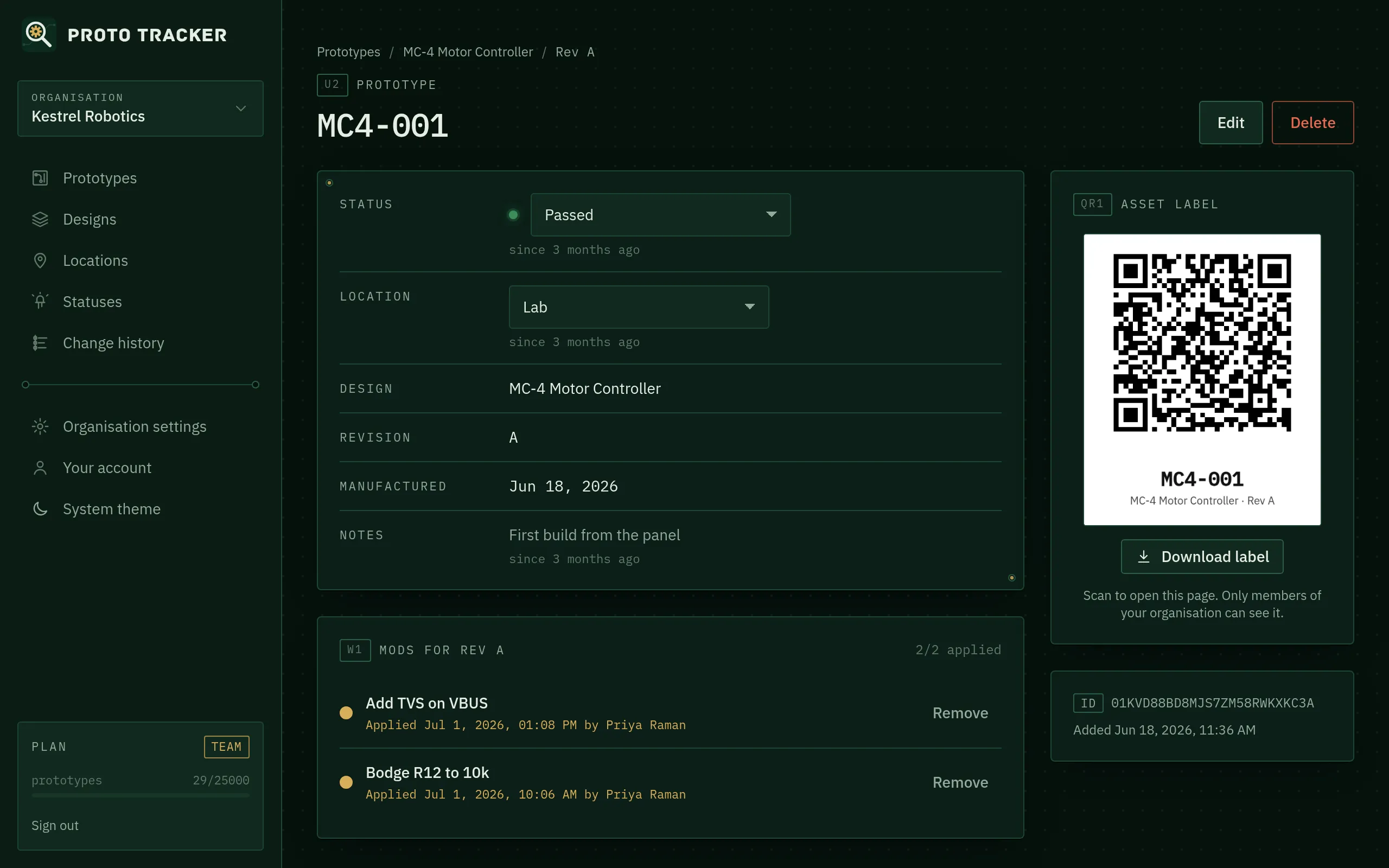
Status and location
Change Status and Location straight from the drop-downs. There’s no need to open an edit form. Under each one you’ll see how long it’s been that way (“since 3 days ago”). Each change is recorded in the history with your name.
Locations marked as external (such as a test house or a customer) are labelled EXT in lists, so boards that have left the building are easy to spot.
Holder
Holder is the member who physically has the unit. Pick someone from the list, or click I have it when you pick a board up. Like status and location, it shows how long it’s been that way, and every hand-over is in the history.
Custom fields
On the Business plan, your organisation’s custom fields (firmware version, test rig and so on) appear in their own panel. Edit them in place; each change is recorded.
Notes and log entries
- Notes is a single field for the current state of the unit, such as “Radiated emissions pre-scan”. Change it with Edit. Previous versions stay in the history.
- Log entries are for things that happened: test results, observations, hand-overs. Type one in the box above the history and click Add to log (or press Ctrl/⌘ + Enter). Log entries are permanent. They’re timestamped with your name and can’t be edited or deleted, which makes them trustworthy test records.
Mods
The Mods panel lists every mod defined for this prototype’s revision. Click Mark applied when the rework is done. Proto Tracker records the date, time and person, shown under the mod as “Applied … by …”. See Mods.
QR asset labels
The Asset label panel shows a QR code with the serial and design. Click Download label for a PNG you can print on a label printer or stick on the board, its bag or its fixture.
Scanning the code with any phone camera opens this page. Only signed-in members of your organisation can see it, so the label is safe to leave on a board that goes to a test house.
History
The bottom of the page shows the unit’s complete history, newest first: when it was built, every status and location change (with old and new values), mods applied and removed, notes changes and log entries.
Something unclear or out of date? Email support@proto-tracker.com.