
All guide pages
Change history and export
Every change in Proto Tracker is recorded permanently. Browse it per prototype, design or mod, and export it to CSV or JSON.
Proto Tracker records every change automatically: who did it, when, and (for edits) the old and new values. You never have to remember to write it down.
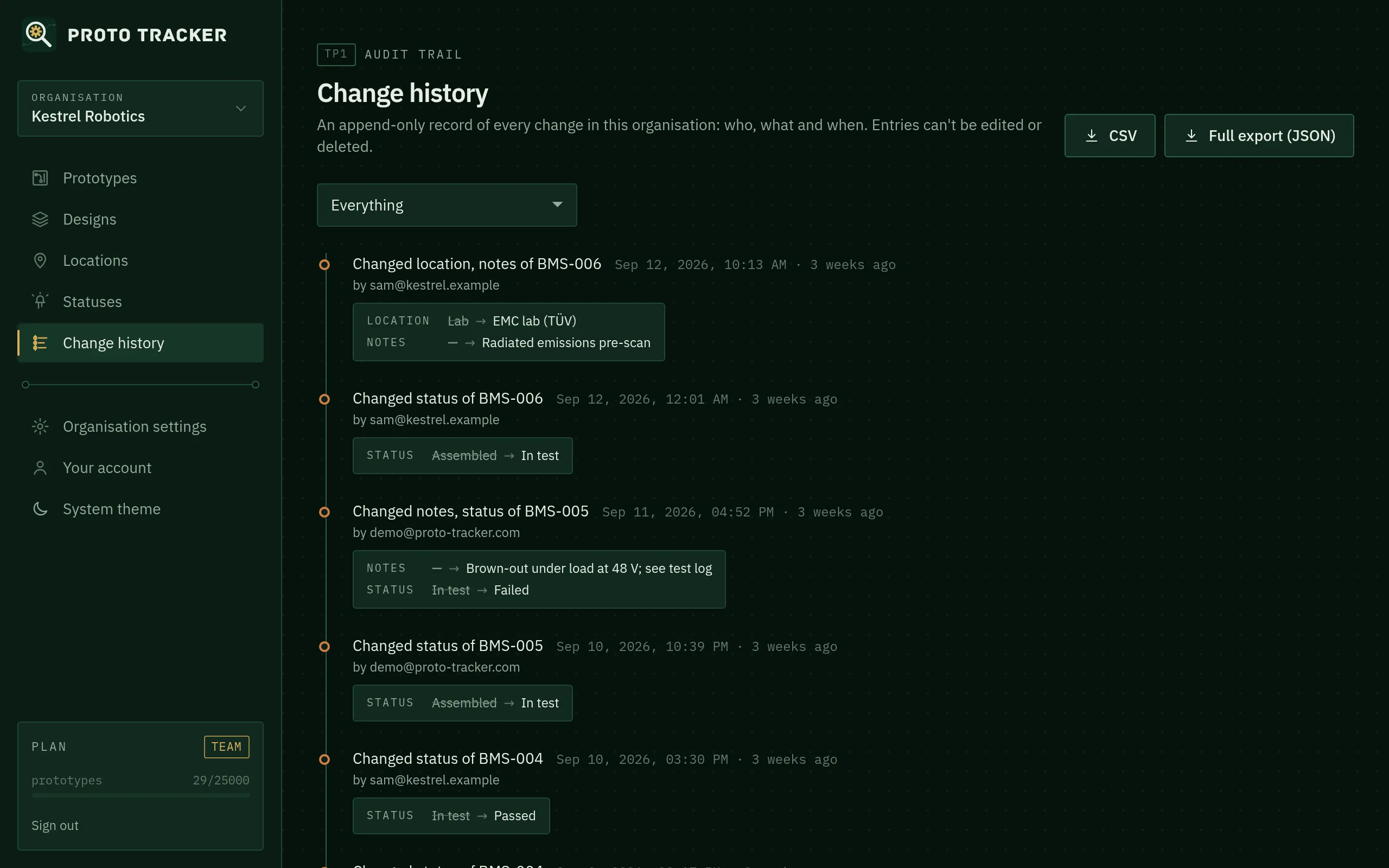
Where to find it
- Prototype page: the full story of one unit.
- Design page: changes to the design and its revisions.
- Change history (in the sidebar): everything in the organisation, newest first. Filter by type (prototypes, designs, mods, members…) and click Load older changes to go further back.
- Mods: on a design page, click a mod’s on N units link to see where it was applied.
What’s recorded
Creating, editing and deleting designs, revisions, mods, locations, statuses and prototypes; status and location changes; mods applied and removed; log entries; invitations, role changes and people joining or leaving; and plan changes.
For references like location and status, the history stores the name at the time. Renaming “Lab” to “Main lab” later doesn’t rewrite old entries.
It can’t be changed
History entries can’t be edited or deleted by anyone, and each change is saved in the same database transaction as its history entry, so a change can never be saved without its record. Deleting a prototype keeps its history.
Exporting
Admins and owners can download:
- CSV: one row per change with a plain-English summary. Good for spreadsheets, design reviews and audits.
- Full export (JSON): everything in the organisation, including designs, prototypes, members and the complete history.
Both are on the Change history page. The JSON export is also under Organisation settings → General. Your data is yours: export it whenever you like, on any plan.
Something unclear or out of date? Email support@proto-tracker.com.