
All guide pages
Designs and revisions
Set up designs and their revisions in Proto Tracker, name revisions your way, and understand what deleting them does.
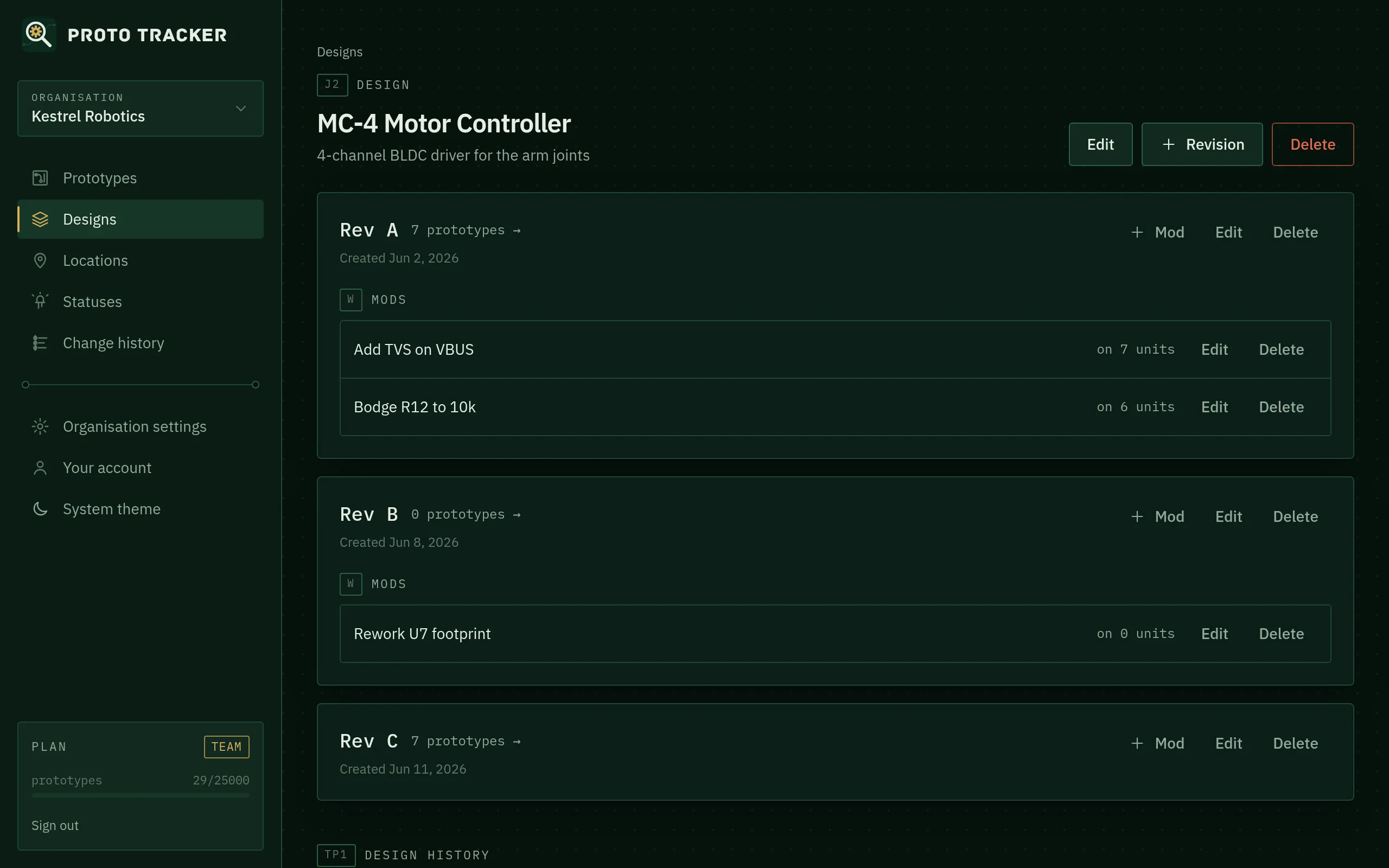
Designs
A design is something you build: a PCB, an assembly, an enclosure or a whole product. Create one from Designs → New design. Names must be unique within your organisation. The optional description is a good place for a part number or a short summary.
The designs page shows each design’s revisions and how many prototypes it has.
Revisions
A revision is a version of a design that gets fabricated. Name revisions however your team does (A, B, C, 1.0, 1.1, P1, P2 or EVT, DVT, PVT). Use the notes to record what changed from the previous revision.
Each revision card shows its mods and links to its prototypes.
Deleting
- Deleting a revision also deletes its mods. If prototypes are on that revision, Proto Tracker asks you to confirm, and then deletes them too.
- Deleting a design deletes its revisions, mods and prototypes, after confirmation.
The change history of deleted items is kept. If you might want the data back, export it first.
Plan limits
The free Personal plan allows 5 designs and 10 revisions per design. Business is unlimited. See Plans and billing.
Something unclear or out of date? Email support@proto-tracker.com.